

Create and play an online pub quiz
A pub quiz that runs entirely in the browser. You host on your screen, your guests play along on their own phones, without an app or installation. Free to start and in Dutch.

A pub quiz that runs entirely in the browser
- No app, no install and no download, not for the host and not for the players.
- Works on phone, tablet, laptop and on the TV over Chromecast or HDMI.
- Real time: answers and scoreboards update live, with no waiting for a refresh.
- Nine round types and a penalty wheel, with Dutch-language rounds.
- Free account, unlimited quiz nights.
How to create an online pub quiz
From nothing to quiz night in five steps:
- Create a free account; only the host needs one, players don't.
- Pick a ready-made quiz from the library or build your own night out of individual rounds.
- Start the quiz: you get a six-character join code and a QR code on your screen.
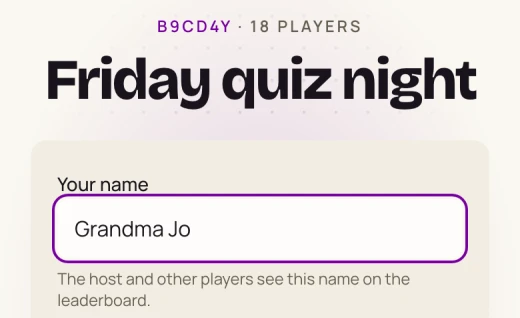
- Players scan the code or open kwishetwel.com/join on their phone, enter the code and pick a name.
- Play the rounds one by one and finish with the final standings and the penalty wheel.
What it looks like
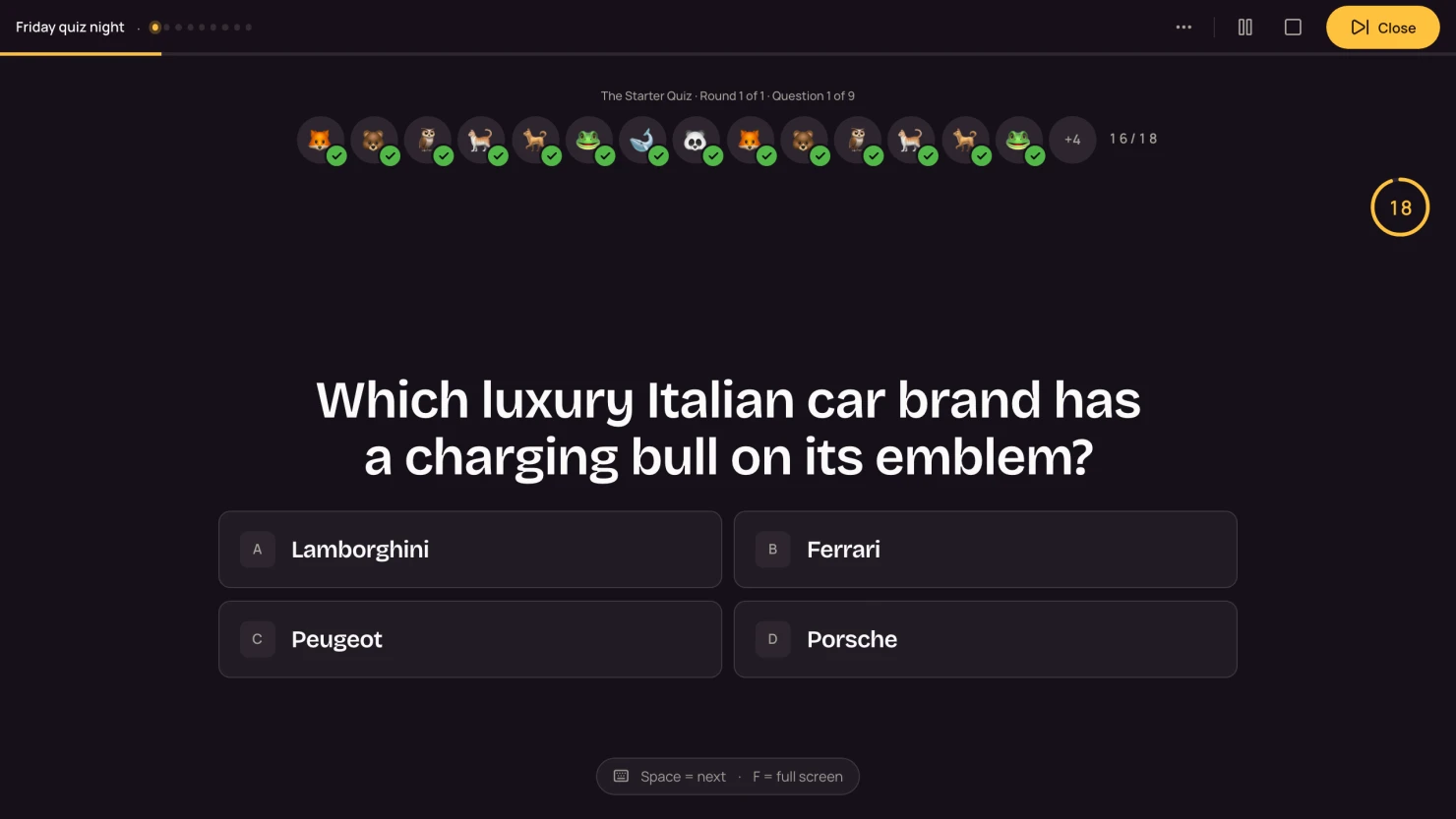
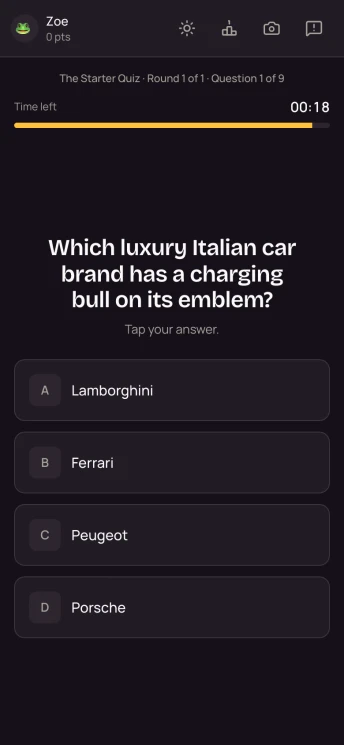
A real recording of a quiz night in Kwishetwel: the host screen on the big screen, next to a player's phone.
Nine round types, from multiple choice to a music round
Every round plays differently, so the night keeps surprising people:
- Multiple choice: classic trivia questions with four options and a timer.
- Open question: players type the answer themselves, with room for one typo.
- Word association: a main word hides a set of sub-words; whoever types one first claims the word and the points.
- Estimation: enter a number, nobody is wrong; whoever gets closest scores the most.
- Music: audio clips on the host screen, answered as multiple choice or estimation.
- Which one fits: a board of tiles around one subject; take turns picking a tile that matches the criterion, one miss and you're out.
- On the map: drop a pin on the map; whoever is closest as the crow flies scores the most points.
- Ranking: drag items into the right order, with a bonus if everything is correct.
- Top list: blindly guess one answer from a hidden ranking; the higher it sits, the more points.
Multiple choice, open questions and word association are free; the other round types and your own content are part of the paid plans. The pricing page has the full breakdown.
What a quiz night looks like
An online pub quiz doesn't have to fill a whole evening. This run of show lands at just over an hour and keeps the pace up:
- Arrivals (10 min): put the quiz on screen with the join code showing, so people join while the first drinks go around.
- Round 1, multiple choice (± 15 min): start easy, so everyone has points straight away and the scoreboard comes alive.
- Round 2, something livelier (± 15 min): a music round or word association. After a round of sitting still you want the room awake again.
- Break (10 min): leave the standings up on the big screen. A room talks about that by itself.
- Rounds 3 and 4 (± 25 min): this is where it can get harder. Alternate an estimation round with a map round or the tile board.
- Finale (± 10 min): the final standings on the big screen, and the penalty wheel for whoever finishes last.
Sample questions to practice with
Six questions in the style of the library:
- Which planet is closest to the sun? Mercury
- How many strings does a standard guitar have? Six
- What is the capital of Australia? Canberra
- How many colors does a rainbow have by the classic count? Seven
- Who won the 2019 Eurovision Song Contest for the Netherlands with 'Arcade'? Duncan Laurence
- What is the chemical symbol for gold? Au
Want more practice material? The blog post pub quiz questions with answers has over a hundred, sorted by category. If you'd rather write your own, making your own pub quiz walks you through the whole prep.
Remote, or together in one room?
"Online pub quiz" means one thing to some people: everyone at home behind their own screen. And another thing to everyone else: together on the couch, but without answer sheets and without tallying points by hand. Kwishetwel is built for the second, and the first works fine alongside it.
Together in one room
What the quiz is made for: you host on the TV or laptop and everyone plays along on their own phone. The question, the timer, the correct answer and the scoreboard are all up on the big screen, so attention stays on the screen and on each other. No laptop per team, no paper, no marking between rounds.
Remotely, over a video call
Some people not there in person? Then play the pub quiz remotely by sharing your host screen in a video call. Four things that keep it smooth:
- Share your screen with audio included (Teams, Meet and Zoom all have a separate checkbox for it). Without that checkbox, the players at home miss the music round.
- Put the join code in the call's chat too. Copying it off a shared screen goes wrong slightly more often than you'd think.
- Have everyone open the quiz on their phone and the video call on a laptop or tablet. Two screens beats one screen you keep having to switch between.
- Count on a second of delay on the video stream. So pick rounds where speed doesn't count, such as estimation, map questions and ranking, and be generous with the timer.
To be straight about it: the experience is made for people sitting together. The noise when someone jumps from fourth place to first simply lands better around one table than in eight small windows. If the whole group is remote it's still a good night, just a quieter one.
Build it, buy it or outsource it?
Building a PowerPoint yourself is free and you control everything, but it costs you evenings. On the night itself you're the one clicking, reading aloud and tallying points, and between rounds the group sits waiting for the answer sheets to be marked.
A ready-made pub quiz as a PDF costs a few euros and saves you the writing, but you're still reading aloud and marking by hand, and there's no scoreboard.
Hiring a quizmaster or a quiz agency takes everything off your plate and works well at a big party, but it quickly runs into tens of euros per person and you have to book well ahead.
With Kwishetwel you host it yourself on the big screen: the questions are on screen, points are counted automatically and the scoreboard runs live. All you decide is when the next question comes.
What does an online pub quiz cost?
Starting for free is always an option, with no cap on the number of quiz nights: multiple choice, open questions and word association, penalty wheel included. Want more round types, like music rounds or map questions? Plans start at €3.99 a month and cancel monthly, so a single month for a single night is fine.
Frequently asked questions
How does an online pub quiz actually work?
You open the quiz on a laptop or TV and get a six-character join code plus a QR code on screen. Players scan it with their phone, pick a name and they're in. From there you set the pace: every question appears on the big screen, players answer on their own device, and as soon as the timer runs out you see the correct answer and the updated scoreboard.
Do I need an app or an install?
No, everything runs in the browser. You host on a laptop, tablet or TV, players join through kwishetwel.com/join on their phone. No download for anyone.
Can I play an online pub quiz remotely?
Yes, by sharing your host screen in a video call; the section above covers how to keep that smooth. Kwishetwel is built for people sitting together in one room with you hosting on the big screen, though, so playing remotely does cost you some of the atmosphere.
Is the online pub quiz free?
Yes. You create a free host account and run unlimited online pub quizzes with it, including rounds from the library and the penalty wheel. Paid plans unlock extra round types and your own content.
What do I need to get started?
A screen everyone can see (TV, projector or laptop), internet and a phone per player. Nothing else: no app, no printer and no answer sheets. You only need sound if you're playing a music round.
How long does an online pub quiz take?
With three to five rounds of five to ten questions you're at roughly one to one and a half hours. You set the pace and decide when the next question comes, so you can make the night as short or as long as you like.
Does it work on a phone?
Players take part entirely on their phones. As host you'll want a bigger screen (laptop or TV) so everyone can follow the questions and the scores.
How many players can play an online pub quiz?
From a handful of friends at the kitchen table to a full room: everyone plays on their own phone, so nobody has to share a device. With a big group you can also play as a team per table on one phone.
Can I play an online pub quiz with coworkers?
Yes, it's one of the most common ways Kwishetwel gets used. You host from your laptop or from the screen in the meeting room and coworkers play along on their phones. The page about a pub quiz for your company outing has a run of show and a round selection that work well with a team.
Can I write my own questions?
Yes, on the Ultimate plan you write your own questions and bundle them into complete quizzes. The ready-made rounds from the library stay available alongside them.
Would you rather play in one fixed spot? Take a look at the café quiz or a pub quiz for your company outing. Came here from Kahoot? Read why Kwishetwel is a Dutch alternative to Kahoot.